Swati Mishra

Updated 4 months ago

Reliable audio enhancement for Windows users

Realtek HD Audio Drivers by Realtek provide essential software support for Windows PCs, ensuring clear, stable, and high-quality sound performance. Acting as the link between a computer’s audio hardware and its operating system, Realtek HD Audio Drivers optimize playback and recording across speakers, headphones, and microphones, making them indispensable for everyday users who value consistent audio clarity.

Top Recommended Alternative

Streamlined setup and reliable compatibility

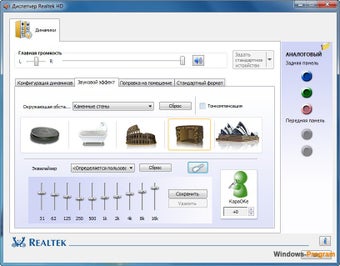
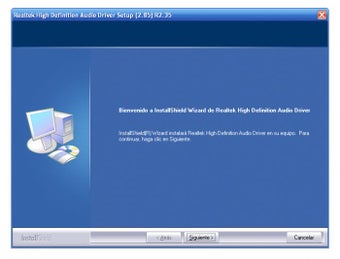
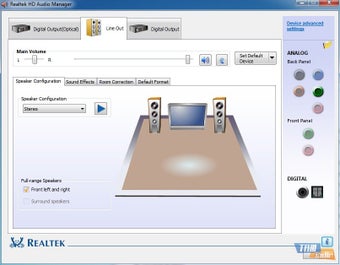
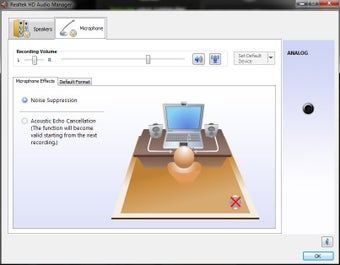
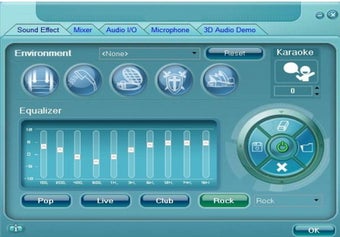
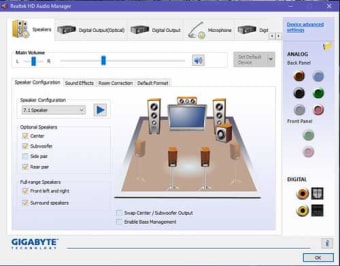
Realtek HD Audio Drivers emphasize simplicity and reliability, offering an easy installation process that involves downloading the setup file, following on-screen prompts, and restarting the system to apply changes. Once installed, they automatically detect connected audio devices and deliver balanced sound across applications, supporting a wide range of Realtek chipsets on both 32-bit and 64-bit Windows 10 and 11 systems. Paired with the Realtek HD Audio Manager or Audio Console for centralized control, the drivers provide dependable performance and practical audio management, despite a slightly outdated interface.

Performance and user experience

Realtek HD Audio Drivers are particularly helpful for resolving sound-related issues following system updates or hardware changes. They improve device recognition, prevent audio dropouts, and ensure smooth communication between the operating system and audio chipset. Although the visual design of the Audio Manager lacks modern polish, Realtek HD Audio Drivers continue to offer solid functionality, providing users with direct control over their playback environment without requiring advanced technical knowledge.

Final thoughts

Realtek HD Audio Drivers continue to play a crucial role in maintaining reliable, high-definition sound on Windows PCs. Their combination of stability, broad compatibility, and ease of use makes them a practical solution for users seeking to enhance or troubleshoot their system’s audio performance. Despite an aging interface and limited modernization, Realtek HD Audio Drivers remain one of the most dependable audio utilities available for Windows users.

Swati Mishra

Swati has over a decade of experience in content strategy, SEO, and editorial writing across technology and travel. She specializes in technical reviews, structured guidelines, and long-form pieces. Her work focuses on clear organization, search intent, and practical takeaways for readers evaluating software and digital tools.

  • Pros

    • Straightforward installation and setup
    • Compatible with a wide range of Windows versions and chipsets
    • Automatic device detection and balanced audio output
    • Effective troubleshooting for audio-related issues
  • Cons

    • Outdated interface compared to modern audio tools
    • Advanced features depend on specific chipset support
 0/6

App specs

Program available in other languages


User reviews about Realtek HD Audio Drivers

3.5

9 reviews

Add review

Main reviews for you

  • Anonymous user

    I have been searching for months on how to fix my audio drivers, they kept un-installing themselves and re-installing itself. It's weird because it was a Microsoft driver. After installing this beauty, my audio was fixed, nothing was deleting anything. THE SOUND IS EVEN BETTER! So after months I thought I'd try this, I never thought this would help at all, but it did! It would take hours each time I started up my PC to fix my audio, but now each time I start up my PC it is just so PERFECT. The sound, performance and stability is just phenomenal.

  • Anonymous user

    Very nice and wonderfull audio drivers softonic thank you its a realy good drivers

  • Anonymous user

    Very very good. Very good I am very satisfied with the performance of Realtek HD Audio Drivers, If you download this application you will not regret it

  • Anonymous user

    Good. goood and easy to use, excellent and eliable for all purposes

  • Anonymous user

    Works like a charm. A pretty decent driver. It works when others fail. Always install this on a clean OS. Pros: It works! Cons: Nothing

  • Anonymous user

    Always helpful!!. Softonic always helps me with the different apps and software's!!!Thank you!!

More

You may also like

Alternatives to Realtek HD Audio Drivers

Explore Apps

Latest articles

Laws concerning the use of this software vary from country to country. We do not encourage or condone the use of this program if it is in violation of these laws.
Softonic

Is Realtek HD Audio Drivers safe?

100/100

Score result: Clean

This file passed a comprehensive security scan using VirusTotal technology. It is safe to download.

  • Virus free
  • Spyware free
  • Malware free
  • Verified by Security Partners

    VirusTotal logo

Scan Info

Last scan
Thursday, June 13, 2024
Scan provider
VirusTotal

Softonic security commitment

Realtek HD Audio Drivers has been thoroughly scanned by our advanced security systems and verified by industry-leading partners. This file comes from the official developer and has passed all our security checks, showing no signs of viruses, malware, or spyware. For more information, visit our Security and Trust Center